Time to learn some lessons from navigation experts: Dutch retailers Coolblue and Bol.com. Both retailers have inventory consisting of thousands of SKUs - how can they guide customers to the right product in just a few clicks?
How do they offer the best selection while avoiding choice overload?
We studied the user experience of 400 consumers during their search for a specific item. This study shows that many consumers struggle with decision-making when faced with too many choices.
Two retailers, Coolblue and Bol.com, stood out as providers of an exceptional user experience. They succeed in reducing the stress that comes with making a "feel-good" choice. Let's look at what makes them so successful.
These are the lessons we learned.
Lesson 1: Make searching clear and easy from the start
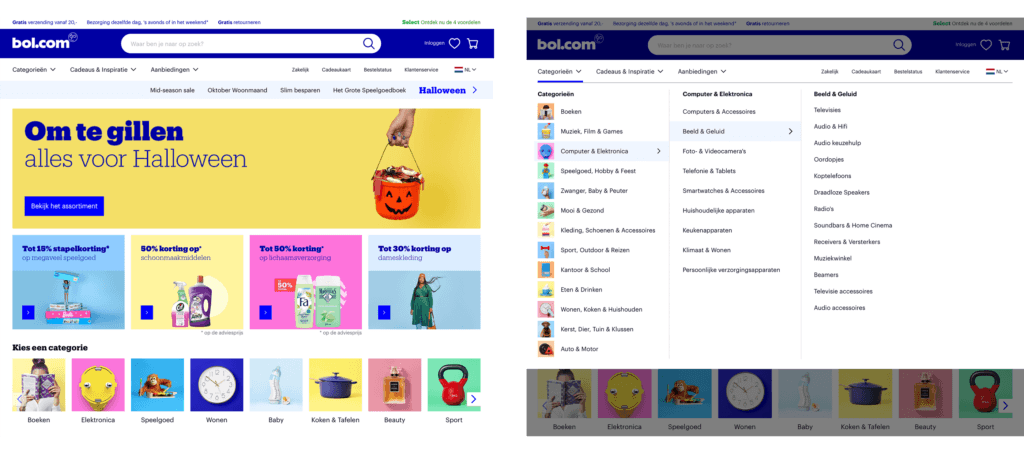
Bol.com has optimized its homepage so that product searches are narrowed down early on. They use mutually exclusive choices and collectively exhaustive categories. This quickly guides the customer to the right product.
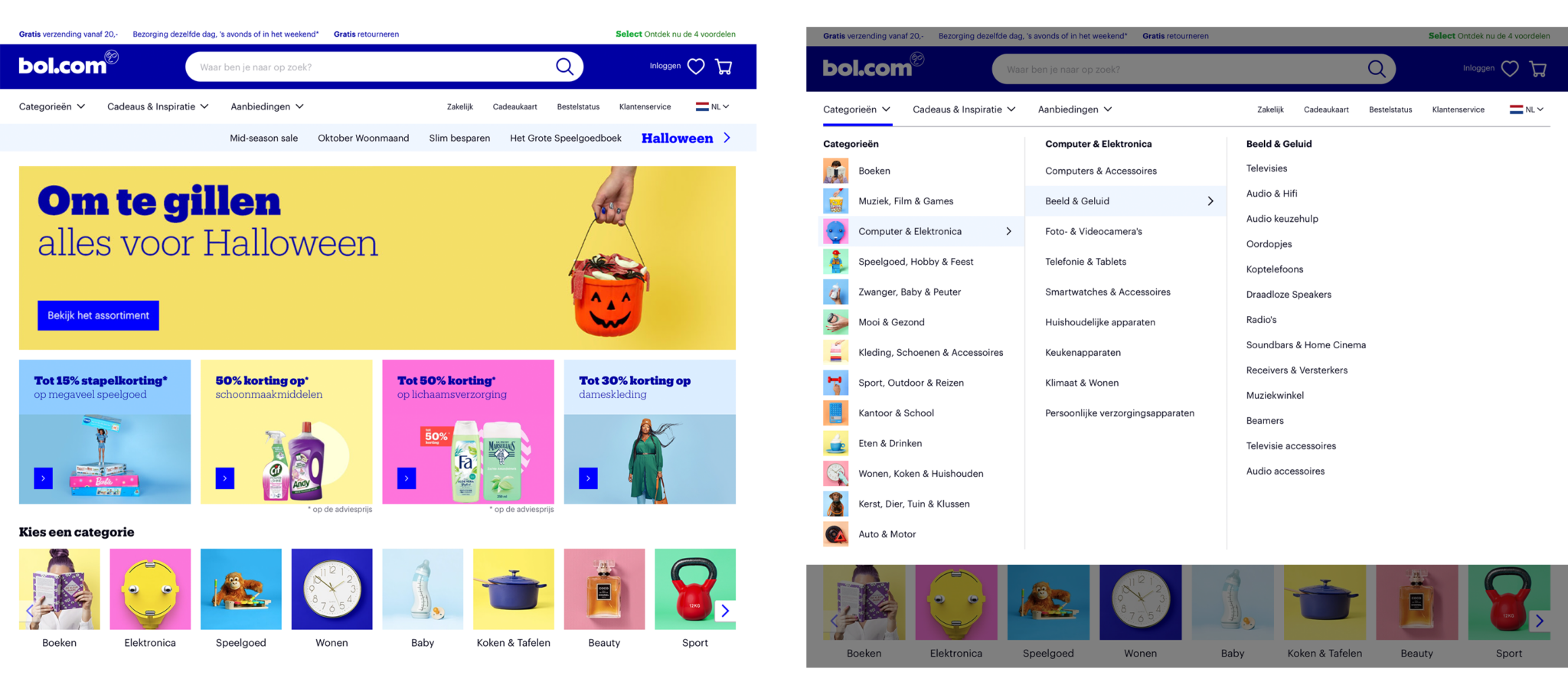
It's about creating and using categories that don't cause overlap between product groups.
Bol.com helps customers determine which categories contain the "right" product for them.
The images above the subcategories provide visual cues. These make the site more navigable without having to read much text.
Lesson 2: The power of effective filters
Bol.com offers effective filters within each category. These reduce the enormous product range to a more manageable number of choices.
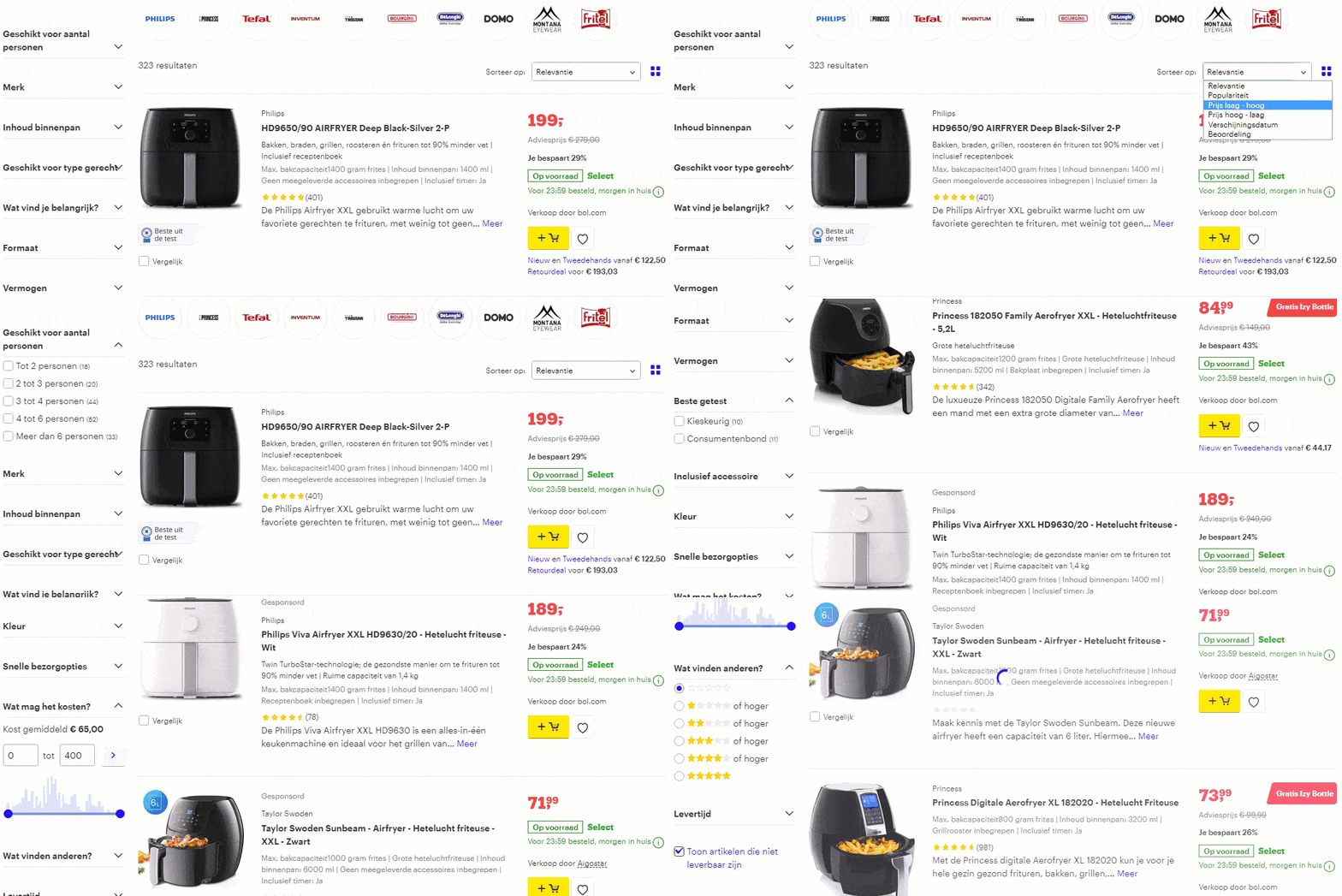
Customers can filter by product characteristics, or by descriptions such as brand, "best tested", price, delivery options, customer reviews and more. Additionally, the filters can be hidden - keeping things tidy.
A well-designed filter should be predictable, without jargon and in order of priority - the customer's priority. Still can't choose? Don't worry, Bol.com offers a decision-making tool.
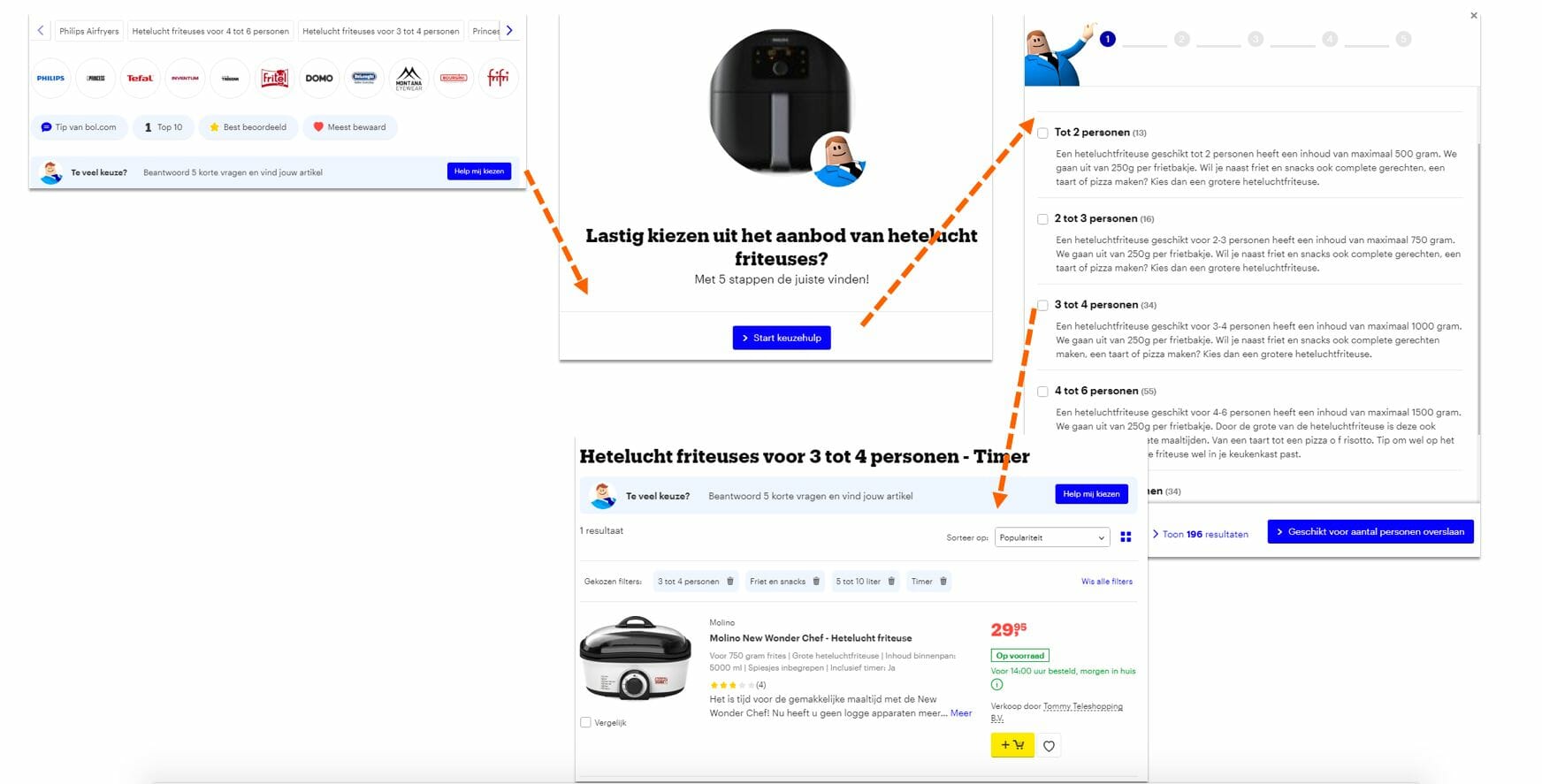
By asking a few questions, Bol.com selects products that meet the shopper's specifications.
Lesson 3: "Comparing is caring" at Coolblue
Customers are often looking for a solution, not necessarily a specific product or SKU. This means they want to compare options. You don't want them to click away or get cold feet, so Coolblue addresses this need with easy comparison tables.
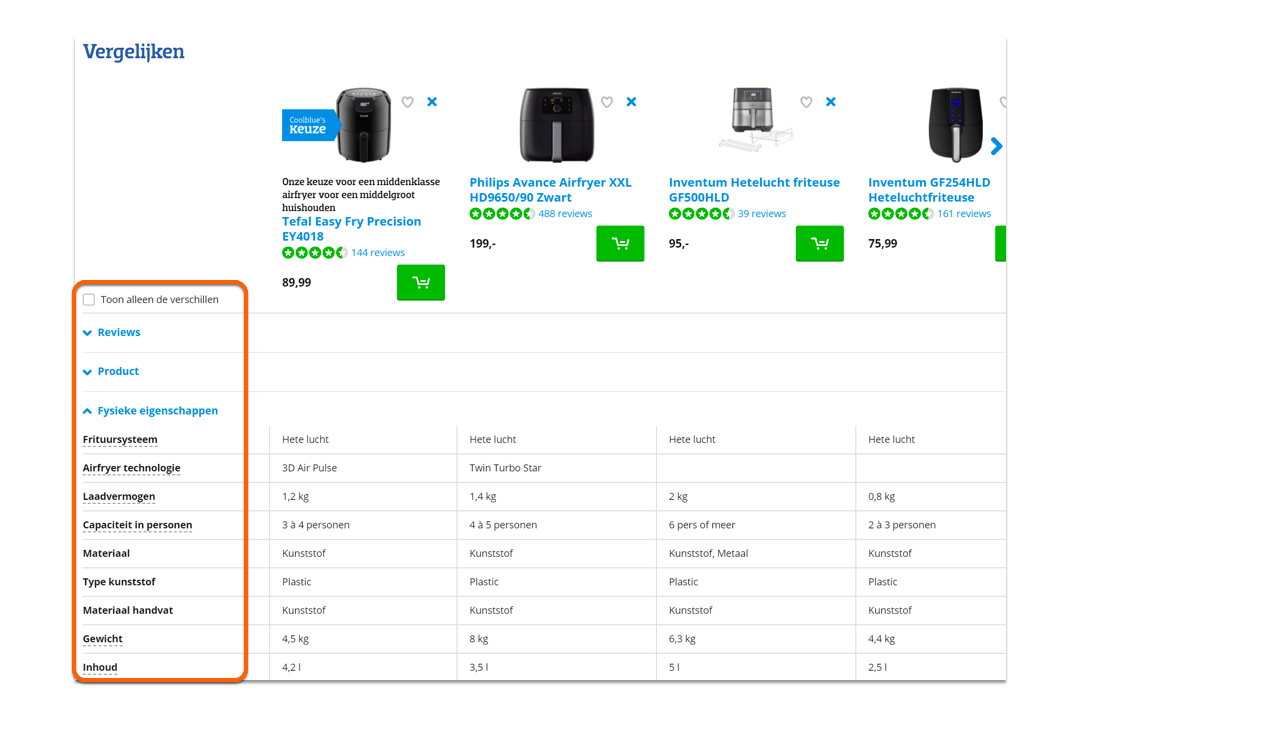
Shoppers can compare differences between products, and the dropdown menu makes it easy to compare differences in product features.
As a result, the shopping audience feels more confident and better equipped to make a good choice.
Lesson 4: Boundaries: set the right guardrails
Guide customers toward the right choice. Put yourself in the customer's shoes and make it easier for them.
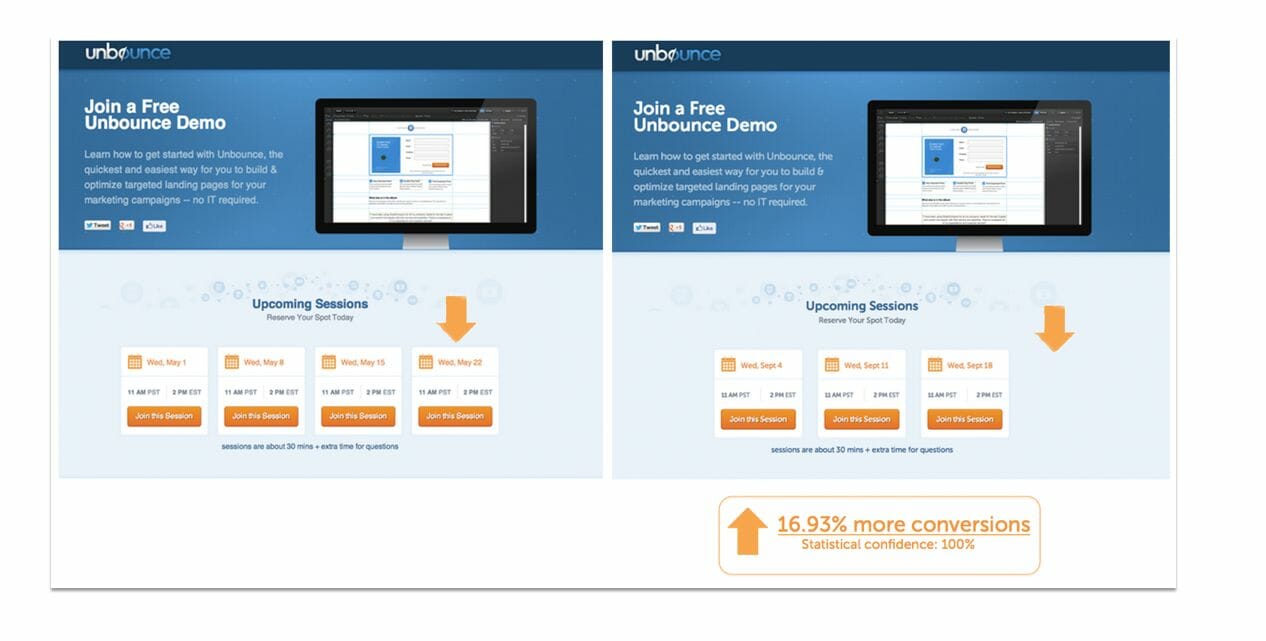
Offer them the ability to narrow down a large product assortment to a limited number of choices that are easy to compare. Fewer options are easier to manage.
Give them the tools they need to find exactly what they're looking for.
The more attention you pay to how customers interact with your site, the greater the chance you'll create loyal customers and generate repeat customers.
This is what some research participants said about Bol.com:
"Good filters and decision-making support. Nice that you can compare."
"The search filters are effective and there are more than I expected. That helps with making the right choice, despite the large selection."
"There are so many products, but when you apply the filters, you narrow it down to the right choice."
and about Coolblue?
"There's a wide range, but you can easily compare products. The filters help you make the right choice."
"You can click on different air fryers to compare them. You can see multiple products side by side. Nice!"
"There are many products to choose from, but the filters make it easy to make a choice."